
Download DaVinci – AI Art Generator, Free & Secure Creative Tool
Overview of DaVinci AI Art Generator
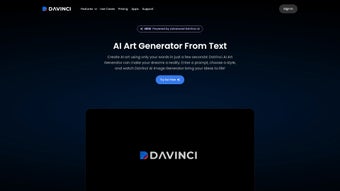
DaVinci – AI Art Generator is a cutting‑edge, web‑based application that harnesses artificial intelligence to turn simple textual prompts, sketches, or color palettes into breathtaking digital artwork. Designed for both beginners and seasoned designers, DaVinci removes the steep learning curve traditionally associated with high‑end graphic software. By analyzing color theory, texture, lighting, and composition, its deep‑learning algorithms can emulate a wide range of artistic styles—from classic oil painting to futuristic cyber‑punk visuals.
The platform operates entirely in the cloud, meaning users can generate high‑resolution images without downloading bulky files or investing in expensive hardware. This accessibility makes DaVinci an ideal companion for marketers seeking quick visual assets, educators introducing art concepts, and hobbyists who simply want to explore their imagination. While the AI does the heavy lifting, DaVinci still offers manual controls, allowing users to tweak brush strokes, adjust saturation, or fine‑tune contrast after the initial generation.
The interface is built with a responsive layout that adapts to desktops, tablets, and smartphones, ensuring a seamless experience no matter the device. Security is baked in: all projects are stored on encrypted servers, and user data never leaves the platform without explicit permission. In short, DaVinci bridges the gap between technology and creativity, offering a secure, free, and constantly updated environment where art creation feels effortless yet powerful.
Whether you are drafting a logo, visualizing a concept for a pitch, or simply playing with abstract ideas, DaVinci provides the tools you need to turn imagination into high‑quality, shareable artwork in minutes.
Key Features That Set DaVinci Apart
DaVinci’s feature set is built around flexibility, speed, and collaboration. Every element, from the prompt engine to the export options, has been crafted to give users maximum creative freedom while keeping the workflow intuitive. Below you will find a comprehensive list of the most valuable capabilities, each explained in context so you understand how they can improve your projects.
- Prompt‑Based Generation: Write a single sentence or a few keywords, and DaVinci instantly produces a visual interpretation, dramatically reducing the time from concept to mock‑up.
- Style Library: Choose from over 150 pre‑built artistic styles, including Impressionism, Vaporwave, Manga, and Photorealism, allowing you to match brand aesthetics or personal taste.
- Real‑Time Preview: Watch the AI evolve the artwork frame‑by‑frame, enabling instant feedback and iteration without waiting for final renders.
- Layered Editing: After generation, manipulate individual layers (background, foreground, texture) for precise control, similar to traditional raster editors.
- High‑Resolution Export: Export images up to 8K resolution without watermarks, suitable for print, large‑scale displays, or high‑detail digital assets.
- Collaboration Workspace: Share a project link with teammates, allowing simultaneous edits, comments, and version history tracking.
- Secure Cloud Storage: All projects are saved on encrypted servers, ensuring privacy and data integrity while providing instant access from any device.
- Cross‑Platform Access: Works on any modern browser, making it available on Windows, macOS, Linux, Android, and iOS devices without additional installations.
- Continuous Learning: The AI adapts to user preferences, refining its output the more you use the tool, resulting in increasingly personalized results.
- Free Tier & Premium Upgrades: Unlimited basic creations for free; premium plan adds batch processing, API access, priority rendering, and advanced export formats.
- Custom Brush Engine: A set of AI‑assisted brushes lets you paint over generated images, blending human artistry with machine precision.
- Template Marketplace: Access community‑created templates and style packs, expanding creative possibilities beyond the default library.
Installation, Compatibility, and How to Use DaVinci Effectively
Getting Started – No Download Required
DaVinci is a purely web‑based solution, which means you never need to install bulky software on your device. To begin, simply navigate to the official DaVinci website, create a free account using an email address or social login, and verify your account via the confirmation link. Once logged in, you’ll land on the dashboard where a bright “New Project” button invites you to start your first AI‑driven artwork. The dashboard also displays recent projects, usage statistics, and quick links to tutorials, making it easy for newcomers to find guidance.
Step‑by‑Step Workflow
- Define Your Prompt: Enter a descriptive sentence (e.g., “a serene sunrise over a misty forest in the style of Claude Monet”). The more detail you provide, the more accurate the AI’s interpretation will be.
- Select a Style: Browse the style library and click on a thumbnail that matches your vision. You can also blend multiple styles using the “Mix” slider for experimental results.
- Adjust Parameters: Use sliders for color intensity, brush detail, lighting, and composition balance. These controls let you influence the AI without needing to rewrite the prompt.
- Generate: Hit the “Create” button; DaVinci’s cloud servers will process the request, typically delivering results within 10‑30 seconds depending on complexity and server load.
- Refine & Edit: Use the built‑in editor to modify layers, add text, apply additional filters, or manually paint over the AI output. The “Undo/Redo” history tracks every change.
- Export: Choose your desired resolution and file format (PNG, JPEG, SVG) and click “Download.” Premium users can also export directly to cloud storage services like Google Drive, Dropbox, or OneDrive.
- Share & Collaborate: Generate a shareable link or invite collaborators via email. You can assign view‑only or edit permissions, making teamwork seamless.
Compatibility (itemprop="operatingSystem")
Because DaVinci runs in a browser, it is compatible with virtually every operating system that supports modern web standards:
- Windows 10/11 (Chrome, Edge, Firefox)
- macOS Ventura and later (Safari, Chrome, Firefox)
- Linux distributions with up‑to‑date browsers
- Android 9+ (Chrome, Firefox)
- iOS 14+ (Safari, Chrome)
The responsive interface adapts to touch input on tablets and smartphones, allowing you to sketch ideas on the go. For power users, DaVinci also offers an API that can be integrated into custom workflows, provided you have a premium subscription. If you encounter any issues, the built‑in help center provides troubleshooting guides for common problems such as slow rendering, login errors, or export failures.
Pros & Cons, Frequently Asked Questions
Before deciding whether DaVinci fits your creative pipeline, it helps to weigh its strengths against its limitations and to clarify any lingering doubts. Below you’ll find a balanced list of advantages and drawbacks, followed by a comprehensive FAQ that addresses the most common concerns from new and experienced users alike.
Pros
- Instant, high‑quality artwork without steep learning curves, enabling rapid prototyping.
- Generous free tier that supports unlimited single‑image generation at standard resolution.
- Secure cloud storage protects your creative assets with AES‑256 encryption and TLS 1.3 transmission.
- Cross‑platform accessibility via any modern browser, eliminating the need for device‑specific installations.
- Rich style library and real‑time preview boost creativity and reduce iteration time.
- Collaboration tools streamline teamwork for design agencies, marketing teams, and classroom projects.
- API access for premium users enables automation and integration with existing design pipelines.
- Continuous learning algorithm improves output quality as you use the platform more frequently.
Cons
- Reliance on internet connectivity; offline work is not possible, which may be a limitation in low‑bandwidth environments.
- Premium features such as batch rendering, API usage, and advanced export formats require a subscription.
- Generated art may sometimes need post‑processing for exact brand guidelines or color accuracy.
- AI interpretation can be unpredictable with vague prompts, requiring iterative refinement.
- While the free tier is generous, high‑resolution exports above 4K are reserved for paid plans.
FAQ – Your Questions Answered (FAQPage)
Is DaVinci really free to use?
Yes, DaVinci offers a robust free tier that allows unlimited single‑image generation with standard resolution. Premium plans unlock higher‑resolution exports, batch processing, and API access.
Can I use DaVinci for commercial projects?
Absolutely. Both free and paid users receive a commercial‑use license for images generated on the platform, provided they adhere to the terms of service.
How secure is my data on DaVinci’s cloud?
DaVinci uses AES‑256 encryption for all stored files and TLS 1.3 for data in transit. Your projects are private unless you explicitly share a collaboration link.
What file formats can I export?
Exports are available in PNG, JPEG, and SVG. Premium users can also download layered PSD files for further editing in Photoshop.
Do I need a powerful computer to run DaVinci?
No. Since rendering occurs on DaVinci’s servers, any device capable of running a modern browser will suffice, even low‑end laptops or tablets.
Can I integrate DaVinci with other design tools?
Premium users have access to a RESTful API that can be called from software such as Adobe Creative Cloud, Figma, or custom internal tools, enabling automated image generation within existing workflows.
Overall Rating: 4.5/5
DaVinci delivers an impressive blend of AI creativity and user control, making it a standout choice for anyone looking to generate digital art quickly and securely.
Conclusion – Should You Download DaVinci?
In a landscape crowded with generic image generators, DaVinci distinguishes itself through a thoughtful combination of powerful AI, an intuitive web interface, and robust security features. Its free tier offers enough functionality for casual creators, while the premium upgrade adds enterprise‑grade tools for agencies and power users. The platform’s cross‑platform nature means you can start a project on a desktop, refine it on a tablet, and present the final high‑resolution output from a smartphone—all without ever leaving the browser.
The only notable drawback is the requirement for an internet connection, but for the vast majority of modern workflows this is a modest trade‑off for the convenience of cloud rendering and instant updates. If you’re a freelance designer looking to speed up mock‑up creation, an educator seeking engaging visual aids, or a marketer in need of fresh, on‑brand imagery, DaVinci provides a reliable, secure, and cost‑effective solution. By embracing both AI assistance and manual refinement, it empowers users to maintain artistic intent while leveraging machine speed.
Ready to explore new creative dimensions without the overhead of traditional software licenses? Click the link below, sign up for a free account, and let DaVinci turn your ideas into stunning, ready‑to‑share artwork today.
Download DaVinci now and start generating AI‑powered art instantly!



.png)



